BuckeyeCTF 2024 Writeup - SSFS
Nick Tenebruso
The Challenge
We’re given a simple web page hosting a file upload service. Users can upload and retrieve files via a unique ID.
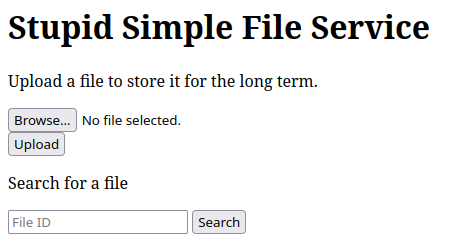
This challenge also gives us the source code of the program, which is written in Python using a simple Flask server.
from flask import Flask, request, render_template, send_file
from uuid import uuid4
import os
import hashlib

app = Flask(__name__)
app.config['MAX_CONTENT_LENGTH'] = 1024 * 1024 # 1MB

file_exts = {}

@app.route('/')
def index():
    return render_template('index.html')

def clear_uploads():
    upload_dir = 'uploads'
    if not os.path.exists(upload_dir):
        os.mkdir(upload_dir)

    files = os.listdir(upload_dir)
    if len(files) > 50:
        for file in files:
            os.remove(os.path.join(upload_dir, file))

@app.route('/upload', methods=['POST'])
def upload():
    file = request.files['file']
    ext = file.filename.split('.')[-1]

    if not file:
        return {'status': 'error', 'message': 'No file uploaded'}

    if ext not in ['png', 'jpg', 'jpeg', 'gif', 'bmp', 'webp']:
        return {'status': 'error', 'message': 'Invalid file type'}

    clear_uploads()

    file_id = str(uuid4())
    file_exts[file_id] = ext

    os.makedirs('uploads', exist_ok=True)

    with open(f'uploads/{file_id}', 'wb') as f:
        f.write(file.read())

    return {'status': 'success', 'message': 'File uploaded successfully', 'id': file_id}

@app.route('/search/<path:file_id>')
def search(file_id):
    if not os.path.exists('uploads/' + file_id):
        return {'status': 'error', 'message': 'File not found'}, 404

    return {'status': 'success', 'message': 'File found', 'id': file_id}

def filter_file_id(file_id : str):
    if len(file_id) > 36: # uuid4 length
        return None

    return file_id

@app.route('/download/<path:file_id>')
def download(file_id):
    file_id = filter_file_id(file_id)

    if file_id is None:
        return {'status': 'error', 'message': 'Invalid file id'}, 400

    if not os.path.exists('uploads/' + file_id):
        return {'status': 'error', 'message': 'File not found'}, 404

    if not os.path.isfile('uploads/' + file_id):
        return {'status': 'error', 'message': 'Invalid file id'}, 400

    return send_file('uploads/' + file_id, download_name=f"{file_id}.{file_exts.get(file_id, 'UNK')}")

if __name__ == '__main__':
    app.run(debug=True)
We also have a Dockerfile:
FROM python:3.12-alpine

RUN apk update

WORKDIR /app

COPY requirements.txt .

RUN pip install --no-cache-dir -r requirements.txt

COPY static ./static
COPY templates ./templates
COPY app.py .

COPY flag.txt /flag.txt

EXPOSE 5000
CMD ["gunicorn", "app:app", "-b", "0.0.0.0:5000", "-k", "eventlet", "--timeout", "500", "--workers", "4", "--access-logfile", "-"]
Analysis
Looking at the source code, we find that when a user uploads a file (the /upload endpoint), it’s stored in the uploads directory, with its filename being a unique string (referred to as the “ID”). When we want to lookup a file (the /search/{ID} endpoint), it searches the uploads directory for a corresponding filename, and returns if a file was found at that location. The /download/{ID} endpoint lets us download said file.
The Solution
Looking at the /search/{ID} endpoint, we find that it simply checks if if the file at the pathname uploads/{ID} exists, using Python’s builtin os.path.exists() API. However, notice that there’s nothing stopping us from searching relative pathnames, meaning we can go ‘up’ from the uploads directory and anywhere on the system. We simply have to use the ../ syntax. Let’s try it!
From the Dockerfile provided earlier, we know that flag’s filename is flag.txt and that it’s at a directory upstream of the uploads directory. Requesting /search/../flag.txt, we get a 404 Not Found error.
This is because the web server interprets the slash character (/) as a seperate endpoint, so requests are no longer being handled by the /search handler we want to use. To fix this, we’ll use the URLEncoded slash character (%2F) which the server will interpret as a literal slash, instead of a seperate endpoint.
Requesting /search/..%2Fflag.txt, we get another 404 Error, this time with the message “File Not Found”, meaning we’re actually hitting the proper endpoint this time. Now, we just have to find the correct location of the flag, which is fairly straightforward.
Through more searching, we eventually find that the flag is found at /search/..%2F..%2Fflag.txt, or two directories upstream of the uploads directory. To get the flag, we can use the same exploit in the /downloads/..%2F..%2Fflag.txt endpoint, which gives us:
bctf{4lw4y5_35c4p3_ur_p4th5}
Takeaway
Always properly sanitize your inputs!